

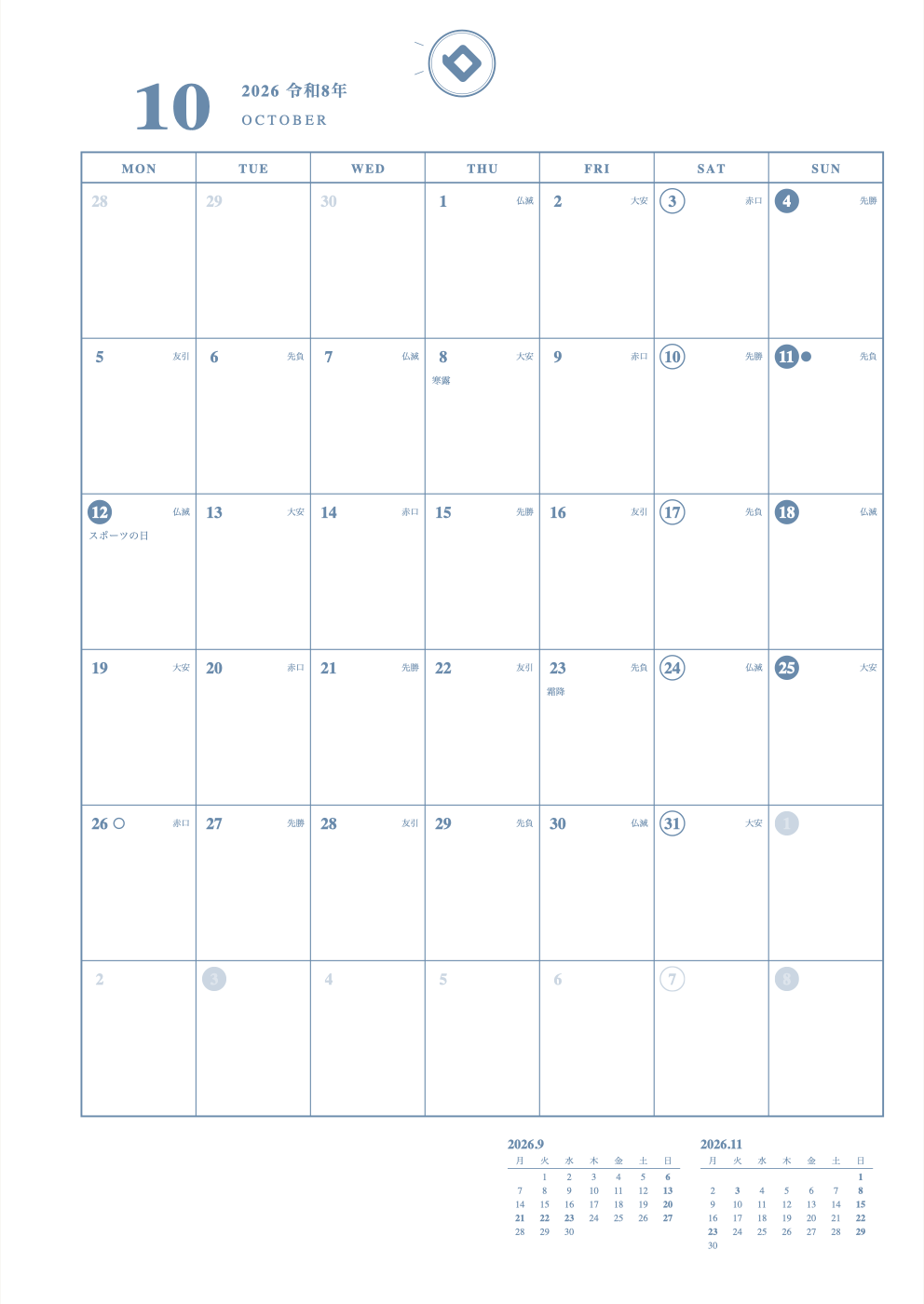
Store-bought planners often have pages you never use, or not enough room where you need it. That is why many people make their own planner. A handmade schedule book contains only the pages you actually need.
You can make your own planner by handwriting in a notebook, or by choosing a layout and printing it on your home printer. No software or app is needed: you can make dated pages in your browser.
3 ways to make your own planner
| Method | How it works | Good points | Hard points |
|---|---|---|---|
| Handwrite in a notebook | Draw dates and boxes yourself in a grid or blank notebook (bullet journal style) | Completely flexible. All you need is a notebook and a pen | You have to draw the boxes every month |
| Design from scratch on a computer | Build the layout in Canva or Excel, then print and bind it | You control every line and font | You add the calendar and holidays yourself, and it takes time |
| Choose a layout and print it | Pick a layout from templates and print it on loose-leaf paper | Pages with dates and holidays are ready right away | You punch the holes and set your printer's paper settings yourself |
How to make and print a planner from a template
At Timekeeper Deco you can make planner refills in the browser on your phone or computer. There is no app to install, and making your pages and printing them on your home printer is free.
- Open the Make page and choose a paper size (B5, A5, B6, A4, Mini, plus sizes such as Bible and Mini 6)
- Choose your yearly pages
- Choose a monthly or weekly layout (72 planner layouts in all: 13 monthly, 47 weekly, 12 yearly)
- Set the starting month
- Adjust the number of lines and the memo areas
- Choose colors for lines and text
- Print one page and check the line weight and colors on real paper
Paper and holes for a handmade planner
 Ordinary copy paper is fine for testing. For long-term use, thicker paper that resists ink bleed-through is safer. When printing, set the scale to 100% (actual size). Match the paper size in your printer's paper settings.
You punch the holes yourself. Check the hole count for your binder in the size and hole chart. With loose-leaf pages you can add pages later or change their order.
Turning a regular or grid notebook into a schedule book
If you are making a planner from a notebook you already own, a grid notebook is the easiest. Just follow the squares to draw straight boxes.
- For monthly pages, draw a table 7 columns wide and 5–6 rows tall across a spread, then write in the dates
- For weekly pages, divide a spread into 7 or 8 sections, one for each day
- If drawing boxes every month gets tiring, slip in printed monthly pages
Making a planner with budget supplies
Binders, loose-leaf paper, hole punches, stickers and washi tape are easy to find at stationery shops and budget stores. What each store carries varies. The dated inside pages can be printed.
Making a handmade cover
- Cut card stock or a clear plastic folder to the size of your pages, punch holes, and bind it at the front and back
- Print a favorite photo or drawing and stick it on the cover
- Decorate it with stickers or washi tape
- With loose-leaf, you can swap just the cover later
App or paper?
If you want to handwrite on screen, you can use the Note App, which needs no install. You can also print the same layout on paper (handwriting planner app). If you want reminders, a phone calendar app is the better fit.
Tips for sticking with a handmade planner
- Start with monthly pages only. There is less to write, so it is easier to keep going
- If you write a lot, add a weekly layout (Vertical or Left)
- Do not make everything at once. Print one month first and try it
- Stickers and stamps make it more fun (how to decorate)
FAQ
Q. What do I need to make my own planner?
A. A phone or computer, a home printer, paper, a hole punch, and a binder. If you handwrite in a notebook, a notebook and a pen are enough.
Q. Is it hard to make a schedule book by hand?
A. Drawing every box from scratch takes time. If you choose a layout and print it, pages with dates are ready right away.
Q. Can I make a handmade planner for free?
A. At Timekeeper Deco, making your pages and printing them on your home printer is free. Paper and ink are separate.
Q. Can a regular notebook work as a schedule book?
A. Yes. A grid notebook makes boxes easy to draw, and a monthly page is just a table 7 columns wide and 5–6 rows tall.
Q. Can I make a monthly-only planner?
A. Yes. Choose a monthly layout and print only the months you need.
Q. Are the holes already punched?
A. For pages printed at home, you punch the holes yourself.
Q. Can I make a planner with just budget-store supplies?
A. Yes, if you have a binder, loose-leaf paper and a punch. Printing the dated pages makes it quicker.
Q. Can I make the cover by hand too?
A. Yes. Cut card stock or a clear folder to the same size, punch holes and bind it.
Q. Can I make a planner in an app?
A. To write on screen, use the Note App. When you want a paper planner, print the same layout.
Read next
* As of November 10, 2026. The site keeps improving, so what you see on screen may differ from this description.