

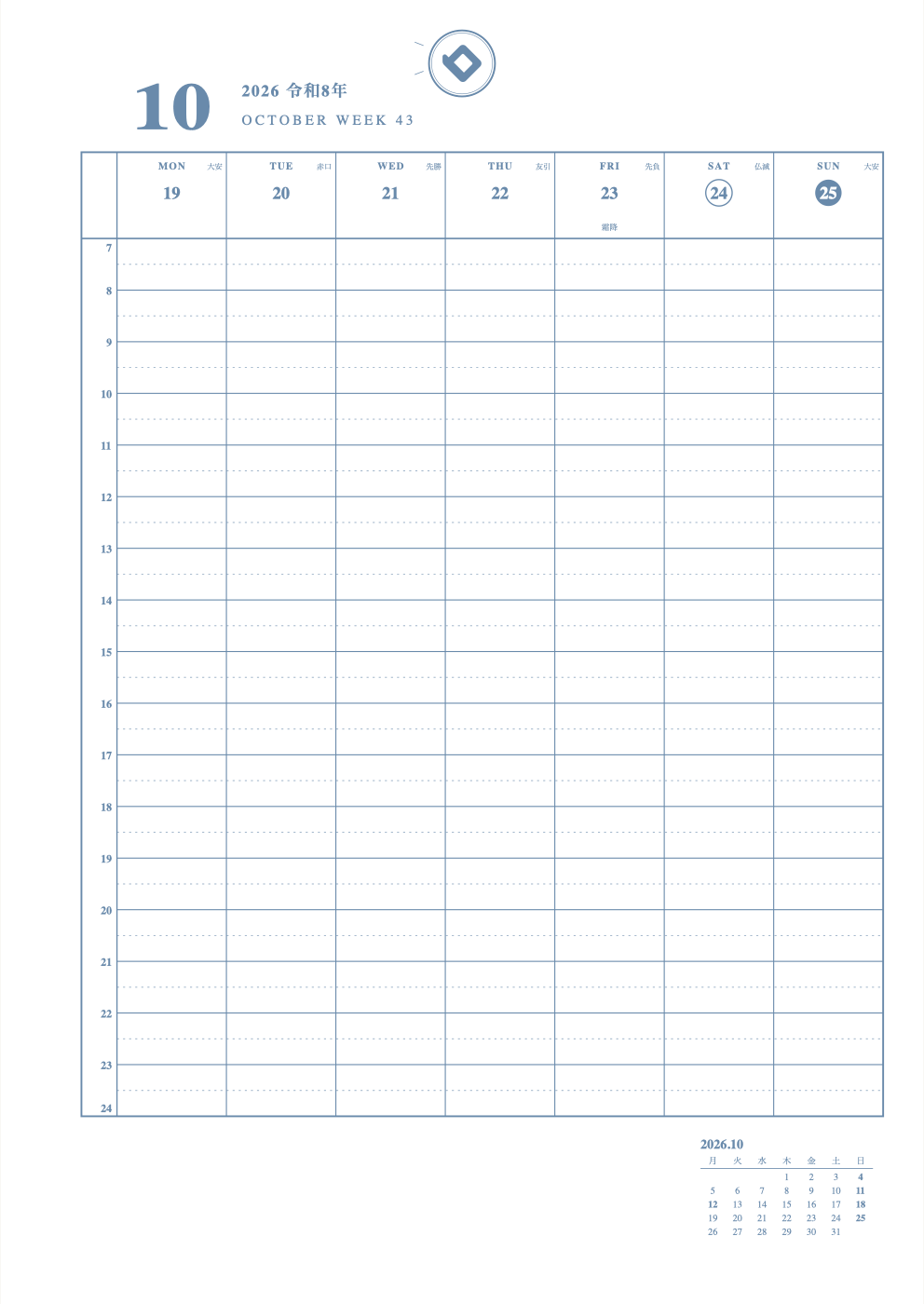
A schedule template is a ready-made planner page with dates and boxes already in place. Which one to choose depends on how far ahead you want to see and how many plans you have in a day.
Types of schedule templates and how to choose
| Layout | What you see | Best for |
|---|---|---|
| Yearly | One year | People who want an overview of events and long-term plans |
| Monthly | One month | People with fewer plans, and first-time planner users |
| Weekly Vertical | One week, by the hour | People with many plans a day, or who want to log study time |
| Weekly Left | One week (plans on the left, notes on the right) | People who also want plenty of room for notes |
Making a template without Excel
You can build a schedule in Excel or PowerPoint, but you have to add the dates, holidays, and lines yourself. At Timekeeper Deco, just choosing a layout fills in the dates and holidays.
- Choose a paper size on the Make page
- Choose a monthly, weekly, or yearly layout (72 in all)
- Set the starting month
- Adjust the lines, memo areas, and colors
- Print on your home printer (free)
 You can choose holidays from 16 countries, so it also works for school or work schedules outside Japan.
A4, A5 and B5 templates
Paper sizes include A4, B5, A5, B6 and Mini, plus planner sizes such as Bible and Mini 6. Check sizes and hole counts in the size and hole chart.
Making a cute template
You can change the colors of lines and text, and of Saturdays and Sundays. You can add your name too. After printing, decorate with stickers or stamps (how to decorate).
FAQ
Q. Are the schedule templates free?
A. Yes. Choosing a layout, making your pages, and printing them on your home printer is free.
Q. Which is better, monthly or weekly?
A. Monthly suits people with fewer plans; weekly suits people with many plans a day. If you are unsure, print one monthly page first and try it.
Q. Can I download an Excel file?
A. There is no Excel file. You choose a layout on screen and print it directly.
Q. Can I change the starting month?
A. Yes. You can start from any month, such as April or January.
Q. Are there cute templates?
A. You can make it cute by changing the colors of lines, text, Saturdays and Sundays.
Q. Are there A5 or A4 templates?
A. Yes. Choose from A4, B5, A5, B6 and more.
Q. Is there a template with a timeline?
A. The Weekly Vertical layout lets you write plans by the hour.
Read next
* As of November 10, 2026. The site keeps improving, so what you see on screen may differ from this description.